Offline Welcome Guide: Why Your Guide Must Work Without WiFi
Guests don’t arrive in a perfect connectivity bubble. They’re often between airports and driveways, elevators and garages, or rural roads and cabins. That’s exactly when they need your instructions most - which is why an offline welcome guide matters.
An offline‑ready guide fixes a simple problem: guests can access what they need even when WiFi isn’t working yet. This post explains why that matters—and how to build an offline‑friendly experience without adding more work for you.
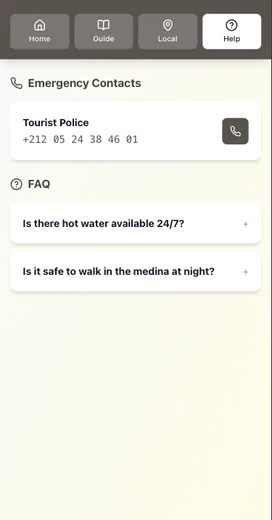
Why this matters more than most hosts realize
Even in highly connected countries, coverage isn’t perfect:
- In the UK, Ofcom reports 4G covers 96% of landmass from at least one operator, but only 81% from all operators—which means real gaps exist outside cities.
- In Canada, the CRTC notes 5G is available to 93% of the population, with rural areas still significantly below the national average.
- In the U.S., Pew research shows 16% of adults are smartphone‑only internet users, meaning they don’t have home broadband and rely on mobile access.
The practical takeaway: guests can’t always count on stable data or WiFi at the exact moment they need your information.
The offline moments that create the most friction
If you’ve ever received one of these messages, you’ve seen it already:
- “We’re outside. The app won’t load. Can you resend the code?”
- “We didn’t get the WiFi yet—where’s the lockbox?”
- “No signal here. Can you text the check‑in steps?”
These are offline moments—and they happen at the worst time: right before or right after arrival.
What “offline‑ready” actually means
You don’t need a custom app. You just need one of the following:
- A guide link that can be saved to the phone before arrival
- A downloadable PDF guests can store offline
- A short printed quick‑start for the first 10 minutes of the stay
Airbnb’s own guidebook tools can be shared publicly and even previewed/printed for a hard‑copy backup. That’s a built‑in way to support offline access if you want it.
Digital + offline is the winning combo
A fully digital guide is great, but it still depends on connectivity at the moment of use. That’s why the most reliable setup looks like this:
- Digital guide as the source of truth (easy to update)
- Offline access option (download or short printout)
- One link in your arrival message
This way, you get the best of both worlds: easy updates for you, dependable access for guests.
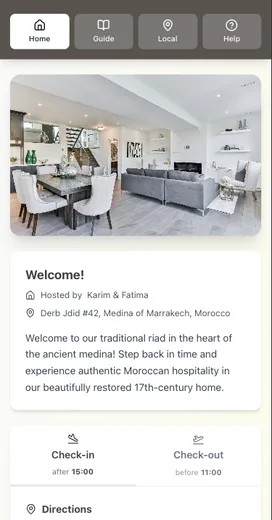
The fastest offline checklist to add today
If you only do three things, do these:
- Add a “Save this for offline access” note in your pre‑arrival message
- Provide a one‑page printed quick‑start (check‑in + WiFi + checkout)
- Keep a backup PDF with the top 10 guest questions
This reduces the exact kind of friction we cover in: Airbnb Checkout Instructions: Why Guests Forget Your Steps.
When offline access matters most
You’ll benefit the most if:
- Your property is rural or has thick walls
- Guests frequently arrive after dark
- You rotate access codes or WiFi passwords regularly
- You host international travelers or older guests
In those situations, offline access isn’t a nice‑to‑have. It’s a stress reducer.
The takeaway
Guests don’t need a perfect guide. They need the right info at the right time—even if WiFi isn’t ready.
Quick recap:
- Coverage gaps still exist, even in developed markets.
- Offline moments happen exactly when guests are most anxious.
- A digital guide + offline backup is the most reliable system.
Want the offline‑ready guide checklist?
We built a one‑page Offline‑Ready Guest Guide Checklist so you can set this up in 10 minutes.
Conclusion
An offline welcome guide isn’t fancy - it’s resilient.
- Assume guests will have weak signal at the door.
- Put check-in, WiFi, parking, and checkout into one place.
- Offer one offline option: a saved link, a PDF, or a one-page quick-start.
- Repeat the same guide link in your pre-arrival and check-in-day messages.
If you want a simple way to keep your guide updated while still offering an offline backup, build your guide digitally, then export or print a quick-start page for arrivals.
Related reading:
- Airbnb Checkout Instructions: Why Guests Forget Your Steps
- Why Your Airbnb Guests Keep Asking the Same Questions (And How to Stop It)
- The Mobile‑First Welcome Guide: Why Desktop Doesn’t Matter
Resources
Related posts
- Airbnb Checkout Instructions: Why Guests Forget Your Steps
- Why Your Airbnb Guests Keep Asking the Same Questions (And How to Stop It)
- The Printable vs Digital Debate: We Settled It Once and For All
- Canva Welcome Book vs Digital Guide: A Complete Comparison
External sources