Self Check-In Airbnb: Perfect Check-In Without Being There
You don’t need to wait at the door to make arrivals smooth. A great self check-in Airbnb setup comes down to clear access instructions, the right delivery timing, and a backup plan - so guests can enter without stress even if their flight is late or their phone is at 3%.
This guide walks you through a self check‑in setup that feels professional, calm, and reliable—without being there in person.
What “perfect check‑in” actually means
We evaluated check‑in experiences using four criteria that matter most to guests:
- Clarity (the steps are obvious)
- Timing (they arrive when needed, not buried in old messages)
- Backup access (guests aren’t stuck if something fails)
- Confidence (guests feel they’re in the right place and doing the right thing)
Airbnb’s own guidance reinforces this: you can specify a check‑in method (smart lock, keypad, lockbox, or in‑person), and guests see the method up front—but the detailed instructions are shared closer to arrival. That timing makes your pre‑arrival message and arrival guide extra important.
Step 1: Choose the right self check‑in method
Airbnb recognizes four core self check‑in options:
- Smart lock (code or app)
- Keypad (numeric code)
- Lockbox (physical key inside)
- Building staff (24/7 access via front desk or doorperson)
The key is not which method you pick—it’s how clearly you explain it.
Best practice: Use one primary method and one backup method. Airbnb supports backup entry instructions for smart locks, so guests aren’t stranded if a battery dies or a code fails.
Step 2: Write check‑in instructions like a checklist
Guests don’t want paragraphs when they’re standing on the porch. They want steps.
Use this format:
- Where to go (address + entry point)
- What to find (lockbox, keypad, gate, or concierge)
- What to do (enter code, turn knob, retrieve key)
- What to do next (lock the door, return key, confirm entry)
Airbnb recommends adding photos for clarity. A simple labeled photo of the lockbox or keypad reduces 90% of “I’m here, what now?” messages.
Step 3: Deliver instructions at the right time
Airbnb sends detailed check‑in instructions 24–48 hours before arrival, which is exactly when most guests start preparing. Use that window to reinforce:
- the check‑in steps
- parking details
- any special instructions (stairs, gate, quiet hours)
If you bury check‑in info in a message sent a week ago, it gets lost. Repeat it in the arrival guide and your pre‑arrival message.
If guests still ask the same questions, read: Why Your Airbnb Guests Keep Asking the Same Questions (And How to Stop It).
The best check‑in message is one guests don’t need to reply to.
Step 4: Make it work even without WiFi
Check‑in is the moment when data coverage is most likely to fail. Give guests a quick offline option:
- A short printed quick‑start sheet (code + door steps)
- A PDF they can save before arrival
- A text‑only backup you can paste into a message
If this is a frequent pain point for you, see: The Offline Advantage: Why Your Guest Guide Needs to Work Without WiFi.
Step 5: Add a 15‑second confidence check
Guests are calmer when they know they’re in the right place. Add:
- A photo of the exact entry door
- A line like “You’re at the right door if you see the blue planter and #3 on the frame”
- A quick reminder that they can message you if anything feels off
This tiny detail reduces anxiety—and prevents wrong‑door incidents.
Step 6: Use quick replies to save time
Airbnb encourages hosts to create quick replies for common check‑in questions. This lets you respond in seconds instead of retyping steps.
Start with these templates:
- “Here are the check‑in steps + parking info”
- “Here’s how to use the lockbox if the keypad fails”
- “Here’s the backup entry method just in case”
A simple checklist you can copy
Use this to audit your current check‑in experience:
- Check‑in method selected and updated in listing
- Step‑by‑step instructions (no paragraphs)
- One photo of the entry door
- One photo of the lockbox/keypad
- Backup entry method ready
- Pre‑arrival message repeats check‑in steps
- Offline quick‑start sheet printed
Want the guest communication workflow diagram?
We built a Guest Communication Workflow Diagram that shows exactly when to send each message (booking, pre‑arrival, check‑in day, checkout). It’s designed to reduce repeat questions and make check‑in feel effortless.
Conclusion
Self check-in Airbnb guests love is boring in the best way: clear, predictable, and hard to mess up.
- Write steps like a checklist (not a paragraph).
- Deliver instructions close to arrival, then repeat them where guests will look.
- Always include a backup entry method.
- Add an offline option for the “no signal at the door” moment.
- Use photos and a quick confidence check so guests know they’re at the right place.
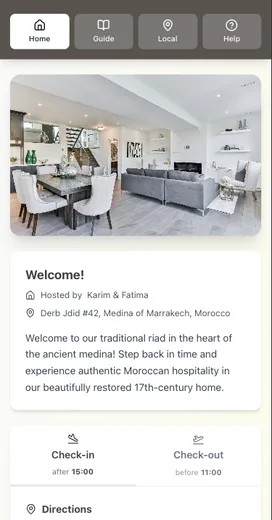
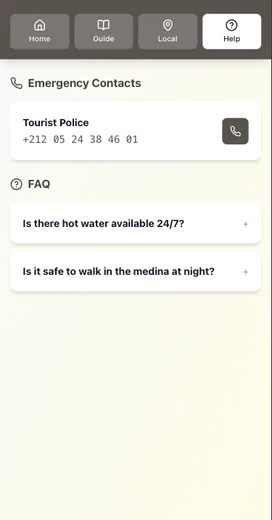
If you want to keep all of this in one place (and avoid pasting the same blocks into messages), put your check-in instructions into a digital guide and share one link.
Related reading:
- Why Your Airbnb Guests Keep Asking the Same Questions (And How to Stop It)
- The Offline Advantage: Why Your Guest Guide Needs to Work Without WiFi
- Airbnb Checkout Instructions: Why Guests Forget Your Steps
Resources
Related posts
- Airbnb Checkout Instructions: Why Guests Forget Your Steps
- Why Your Airbnb Guests Keep Asking the Same Questions (And How to Stop It)
- The Offline Advantage: Why Your Guest Guide Needs to Work Without WiFi
- The Printable vs Digital Debate: We Settled It Once and For All
External sources