Update Welcome Guide in 60 Seconds: Digital vs Print Steps
The fastest way to lose time as a host is letting information drift.
If you want to update your welcome guide without thinking about it (and avoid a pile of “quick questions”), you need a tiny repeatable workflow.
This post shows exactly how to update welcome guide details (WiFi, parking, checkout) in under a minute.
It starts small:
- WiFi password changed.
- Parking rules shifted.
- Trash pickup day moved.
- The lock battery got replaced and the backup key changed.
If your guide isn’t updated immediately, you end up paying for it in messages, confusion, and (sometimes) reviews.
This post gives you a 60‑second update workflow—and shows why digital updates are fundamentally easier than print.
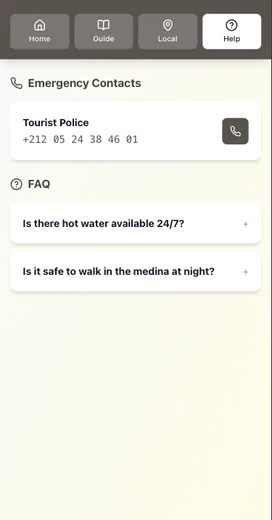
The core principle: one source of truth
If your info lives in 3 places (a binder, a PDF, and old message templates), updates get missed.
A scalable setup has:
- One guide that you update first
- One delivery path (a link) you reuse in your messages
Airbnb’s guidebook tools are built to be shared with guests and accessed from the listing or Trips tab, which makes “one guide + one link” a natural fit for how guests already plan their stay.
The 60‑second update workflow (digital)
This is for small changes (WiFi password, check‑out step, parking note). Big changes take longer—but most host updates are small.
0:00–0:20 — Update the guide
Change the line once:
- “WiFi password: ___”
- “Trash goes out on ___”
- “Park only in spot ___”
0:20–0:40 — Update the one place guests will look
Make sure the updated info is in the top section of your guide:
- Check‑in
- WiFi
- Parking
- Checkout
If your guide is mobile‑first, guests can find that update in seconds.
0:40–1:00 — Update your message workflow (if needed)
If you mention the old detail in a scheduled message, adjust it.
Airbnb lets you create scheduled quick replies and you can skip, customize, or send messages early—so you can correct info before it goes out.
That’s it. One edit, one place, done.
What the same update looks like in print
A printed binder isn’t “bad.” It just has unavoidable friction.
To update a printed welcome book, you typically need to:
- Edit the document
- Export a new PDF
- Print the page(s)
- Replace pages in the binder
- Hope guests read the updated page (not the old one)
Even if the edit only takes 60 seconds, the reprint process doesn’t.
And if you have multiple properties, the friction multiplies.
If you want the full debate, see: The Printable vs Digital Debate: We Settled It Once and For All.
The “don’t ever forget this” update list
If you’re going to keep one part of your guide obsessively current, make it this:
- WiFi network + password
- Entry instructions + backup entry
- Parking rules
- Quiet hours / no‑party rules
- Checkout checklist
These are the details most likely to create urgent messages when they’re wrong.
The easiest version of this (if you’re product-aware)
If you already know Be My Guest exists and you’re wondering whether it’s worth switching, this is the value in one line:
Update once. Every guest sees the latest version.
That’s what eliminates the print cycle and the “which PDF did I send?” problem.
If you want a quick visual of what changes after switching, see: Before vs After: How Digital Guides Transform Guest Experiences.
Want the 60-second update checklist?
We built a one‑page Welcome Guide Update Checklist with the exact sections to review monthly and the “high‑risk lines” (WiFi, entry, checkout) to keep current.
Conclusion: update your welcome guide once (and stop re-sending details)
If you want fewer last-minute messages, make updating your welcome guide a habit, not a project:
- Keep one source of truth (one guide, not binder + PDF + old templates).
- Update the high-risk lines first: WiFi, entry, parking, checkout.
- Resend the same one link in your scheduled messages so guests always land on the latest info.
- Keep a minimal printed fallback (WiFi + entry backup) for bad signal or low battery.
The goal is simple: update welcome guide information once, and every guest sees the latest version.
If you want to see what changes after you switch to digital-first, read: Before vs After: How Digital Guides Transform Guest Experiences.
Resources
Related posts
- The Printable vs Digital Debate: We Settled It Once and For All
- Before vs After: How Digital Guides Transform Guest Experiences
- Automation Without Losing the Personal Touch: A How‑To Guide
- How One Host Saved 10 Hours Per Week (And You Can Too)
External sources